About this Site and Me

My photo
Flower Mound, TX, United States
Hi, I am an artist, wife, mom, gamer and the Elementary Art Educator at Donald Elementary, a sweet and wonderful school in Flower Mound, TX (outside of Dallas). This is a great place to see how we are integrating studio habits with technology and interdisciplinary connections. I also love to share my "wisdom" (Re: Experiences. From mistakes.) about teaching Elementary Art. I love what I do, and I've been doing it for a long time. Creating and teaching Art is what I live for. Enjoy.

Wednesday, February 5, 2014

iPads give our children with Autism a creative voice


One of the most awesome things I have noticed in my Art room is how the iPad has impacted our kids with autism.

If art is the first voice of communication, then these kiddoes have a VOICE. This tool has helped with sensory issues (No messy hands! No weird smells! Nothing to eat!), student engagement (they are super excited to create!) and successful, creative, individualistic works of art.


Ryan LOVES using logos from his favorite TV shows. He uses them to develop movie trailers using iMovie. They are really funny. 

(oh and that crayon thingy is a stylus, which all the kids love to use. These are not expensive and I was able to get a class set   ^.^  yay!)


Natalia draws in creative, exciting ways I have never seen her do before the iPad option. She loves using the art app Drawing Pad. She draws super fast and I think the digital component keeps up with her fast creative thought process...please do not disturb her when she is creating! 


Mikayla prefers Toontastic. She creates these amazing "sticker people".  There is a lot of storytelling here. We love the 2 girls whispering. And lots of food, food, food!

She also loves the ColorBox HD and DoodleDandy apps.

She also designs her own tee shirts. She usually comes to school with one of her drawing taped to her shirt. How awesome is this?


The kids use these apps during their free time, or to help demonstrate a concept. They have to try the actual assignment before the iPad is used, although I really don't have an issue with them creating digital art---as long as the concepts/techniques/vocab are the same.
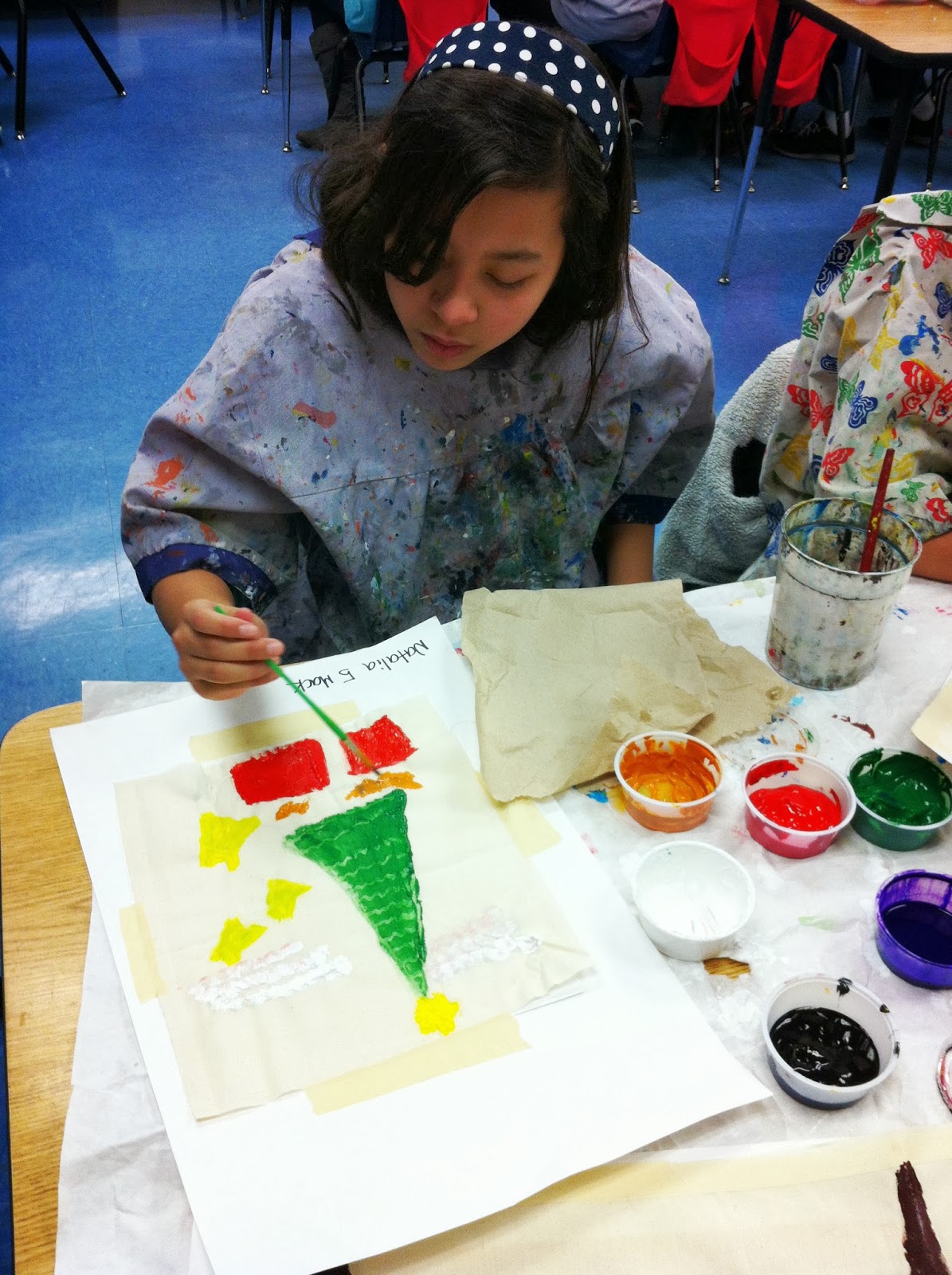
Natalia creating her Glue Batik...


Here the kids are using the iPads to take pictures of their Glue Batik. They also were "interviewed" by Mrs. Smith, their paraprofessional, about what they liked about the project.


The student engagement, the attention, the joy and excitement is beyond anything I have seen in the past!

Monday, February 3, 2014

The realities of teaching: I NEED A SUB!

Updated! A week and a half into the school year and I got knocked out for two weeks by a kidney stone! Are you kidding me?


I need a sub.
Worst sentence ever.


The reality of teaching is that sooner or later, you're going to need a sub.

It might be because a freak winter storm has shut down your neighborhood and you cannot get to work.  

It might be because your kid is sick.

It might be because you have to attend a wedding or a funeral.

It might be because you desperately need a mental health day.

Huh. It might be because you are sick. 

(See how I put us last? Because most teachers HATE preparing for a sub and would rather just go to work.)

The reality is that you teach hundreds of kids and they are spreading their funky germs all over you. And you are allowed to have a life outside of your classroom. 

Full disclosure: your first 2 years of teaching? Yeah, you're going to be sick. A lot. You might even believe you have the plague.
New teacher, this is you. Nah, I'm joking. But not really.

Did you know that teaching is one of the most stressful professions? (Constant stress, year after year, can really mess up your body and mind. Take care of yourselves.)

Listen to me. Trust me. For the love of all that is good and holy, YOU MUST PREPARE FOR A SUB NOW. 

For the kids

I know. Planning for a sub is a PAaaaaiiiiiiiiiiIN. You run the gigantic risk that they won't follow your plans anyway, throwing off your entire week or rotation. 
Which is why most teachers would rather just come to work. 
And then we get run down. 
And then we get sicker.
And then we get REALLY sick.
And then it's too late.

So what do you do? You can't NOT be sick, or NOT go to your sister's wedding, or NOT take care of your sick baby.

There are two types of absences: 

The Planned Absence looks like this, if you are crazy like me:
All directions, student shout outs and materials are neatly laid out. Stress free! Life is awesome!

The Unplanned Absence looks like this (me, the very next day):


...ugh i don't even want to care. 

Why am I apologizing? Because it was a Friday, at seven am. If a sub did not pick up the job, my classes would have been split between the rest of the Specials. That means our Music, PE teachers and Librarian would have had seven to eight extra kids. Which is like a thousand.
Which means their classes/rotations are all thrown off. Domino effect.

But this is what teachers DO. We step in and help each other. We are flexible.

Here's the deal:

You need to be prepared. Right now, right now, if you are feeling healthy, start making emergency sub plans. 
  • Prepare one day plans for all your classes for those single days. Try not to make it a movie, unless it is relevant to what they are learning. 
  • Prepare 1 and 2 week or rotation plans for your kids, complete lessons with exact directions and anything the sub might need (where to find materials, prints, books, etc.) for if (God forbid) you are out for a week or more. 
  • After 2 weeks, your district probably has a Medical Leave Policy, which you would talk to HR about.
  • Consider having Free Choice Centers: free draw, mosaics, modeling clay, finger weaving, magnets, rods and connectors, collage, etc! Pre-train the kids on what to do and your sub will only have to deal with classroom management.

KEEP ALL THIS IN A BOX OR BINDER IN AN OBVIOUS PLACE.

Make sure someone (teammates, dept chair, teacher friends, anyone) knows where this is. This seems silly, but this is very important. Your teacher friends do not know your classroom like you do.

 Include, if applicable:
  • Seating charts
  • Weather, disaster and fire drill plans, etc.
  • Student health and special ed info if your district requires it. Keep it confidential.
  • General info about your philosophy and student expectations (do not assume your sub will be Art Ed certified).
  • Information about the school: 
    • Where to find staff bathrooms and lounge, if there are vending machines, closest restaurants or coffee shops, who to talk to if there are questions and their room number, anything else that might be helpful.
  • Information about your room:
    • Where to find necessary materials, what materials are "off limits", appropriate noise and behavior levels, class rules and procedures, how much time to allow for clean up, end of day procedures, your duties, where to put student art work, anything else that might be helpful.
If your district offers a Sick Leave Bank, join it. I can't tell you how many people tell me they don't join "because they never get sick". And then they do. Or their kid or spouse does. And it comes back to bite them.

Hopefully you will never, ever need to use any of this.

 I do hope that is the case. I really do.

But should you find yourself overwhelmed with the realities of life, it is nice to know that you don't have to worry about your students.

Stay healthy, my friends.

More:


Wednesday, January 29, 2014

So this happened...*updated

UPDATE: 
The sub NAILED IT! All the projects went smoothly and all my directions were followed!
Quote, "Mrs. McReynolds, The white board was very impressive :) It actually helped the students to remember what they needed to do.
Thank you for the very detailed instructions. I did not have the heart to erase it!"

It's a good thing too, as I was absent the next day as well (unexpectedly)!

********************************************************************************
I have a sub tomorrow.

And maybe, just maybe I had too much time on my hands today after school.

Because this happened-


Here is a close up of the crazy. I am horrified/impressed.

My poor sub. My poor, poor sub.


Monday, January 27, 2014

Reality check time for using tech in the Art room!


So halfway through this piloting 1:X year, here is an update on how we are *REALLY, really*  using tech in the art room:

Good news: it is going SO MUCH BETTER than we imagined. A few bumps, and few hiccups, but overall, here at Donald, things are going well (*knocking on wood*).
With regards to tech, the kids are way ahead of us anyway, so integrating tech into daily school life is no biggie for them. I have seen some very cool stuff happening around our school. True, it has un-leveled us teachers, but that's ok, we are in the Learning Profession. At least that is what I keep telling myself.
Reality check and fyis:
Not all of our kids have iPads, as parents can opt-out. Or they forgot them at home. Or they aren't charged by the time they get to Art. Or they haven't uploaded the instructional apps we need.

Ok. This is Really Important: In our district, parents can opt not to put apps on their child's iPad (even instructional ones). Parents have the final say, naturally, and keep in mind that our district provides a safe and secure server the kids can use at school and home. So yes, parents have the final say as to what apps they want to deal with on nights and weekends ( My son is 13 with a school issued iPad, and trust me, I need to parent that thing.). What is appropriate for one family is not always appropriate for another.

Going 1:X does not mean every kid gets an iPad or a laptop, or blah blah blah, and we don't believe that putting an iPad in their hands will make them smarter/better test takers/robots.  It means making sure every child has access to the tools they need to succeed.

So, all kids here have access to iPads, Mac Airs, traditional books and prints, etc...what they need to get the work done.

Look at it this way: 

Remember back to your 4th grade spelling tests in the 70's, 80's or 90's.
I remember my classroom looked like this:
Anyone remember those desks?
Or maybe you remember this?
Where is this? Pleasantville?
(Anyway, see those kids? YEAH. Those kids don't exist anymore. They are now adults who have had children WHO ARE NOT LIKE THIS. The NetGen or iGen kids are completely different. Completely. Don't believe me? Hang out at Chucky Cheese on a Saturday afternoon.)

Now, image you HATED spelling. You were terrible at it. Or maybe, just meh.(Unlike me, who was soooo super awesome that I was given the super awesome job of READING THE SPELLING WORDS OUT LOUD to my classmates. No, I didn't have to actually TAKE the test. Note to teachers everywhere: do not do this.)

SOooooo anyway. Spelling tests. Right. 

Ok, imagine you could take that spelling test with a purple glitter pen, as the pencil smudges left from that awful pink eraser stressed you out.

Or, you could lay on the floor and take the test. Or sit on a overstuffed chair.

Or you could use a typewriter, a word processor or a tablet, as your handwriting was so super terrible your teacher couldn't read the properly spelled words (this is not about handwriting folks)...

What if--this is crazy--you and another kid could collaborate and take the test together? 

Would that help? What is the point here, to have every kid do exactly the same thing the same way, or learning how to spell?

Look, obviously I am not an expert on Elementary Language Arts (my "inventive" grammar alone should prove this). But taking spelling tests in school is something I think we can all remember and agree on.

What does this have to do with anything in Art Ed?

A lot. 

I have to use this amazing technology is a way that meets the needs of ALL my students. And maintain the high expectations for a quality art program (read 'My Conditions" side bar). No two kids or art projects are the same. 

My struggle (ha, what a struggle. First World Problem Alert!), how can we do a digital painting or movie when out of 22 kids, 4 don't have the app uploaded and 2 don't have an iPad? Painting websites are not anything like the apps. So the tech has to be an OPTION. Or the kids work in GROUPS. Both are fine and wonderful.


First of all, remember, we are the masters of differentiation (can that be a tee shirt?).  How many other classes have 22 kids doing 4 completely unrelated things? Have you ever seen a classroom with science experiments, LA, Math and Social Studies happening at the same time, with one teacher successfully navigating? Nope. I am sure you have not (ok, maybe on those crazy half day before a break. That is not what I am talking about ^.^).

But we do it all the time. With iGen kids who:
  • cannot sit still
  • now have an attention span of .0008 seconds
  • who view quiet as a form of disapproval
  • who require constant feedback and redirection and assurance
...or is it just me? 

What is happening here: kids on the right are finishing their project, child in the back here is assessing and photographing with iPad, students at the left table are finished and doing Free Choice Centers: modeling clay and finger weaving, and the kids on floor are doing a Free Choice Center: cup weaving. 

How I am using tech in my art room and how I imagined we would be are two very different things.

I thought we would all be making at least one amazing piece of digital art by now, until I realized not all my kids had access to the iPads and/or special art apps (the year is not over yet!). 

I thought sharing these digital art projects would be a breeze, until I realize not every app allows you to save and share the way we need them (we use Google Apps, with Apple products).

I thought I had it all figured out, and then Apple pushed the IOS7 update that changed app security and briefly messed up our proxy and that (*frustration*) is part of technology.

I thought I had to master and pre-teach all these Art Apps, until I realize that kids had already figured them out. And were showing each other. Even the first graders.


So right now, in January,  here is the for real how students are using the iPads:
  • taking photos of art work, charting the journey from beginning to end, for use in digital portfolios, saving all in their art folder in their Google Drive. 
  • Creating Google Docs for assessment/reflective questions.
  • Taking videos of their art work and discussing the process and reflections.
  • Taking these images and popping them into Animoto.
  • Using Art Apps as a Free Choice center when they have finished their art and assessment.
  • taking photos and videos of their Free Choice Centers to save and share.
Yes, I am aware it is a lot of photography. I am teaching good photography tips!

These kids made this in about 5 minutes in the Free Choice Center: rods and connectors, then they took turns videotaping their creation and their process for their families to view. They were very excited! Why the heart? She is not allowed to have images online. PicMonkey allowed me a quick solution.

Biggest observation? We don't use the iPads all the time. And it's ok! The kids are using traditional art materials and talking face to face --much needed social skills.

We are using the technology when it makes sense, not as a dog and pony show. And that, my friends, is a huge relief.


Love these kids!
Old School Technology! Look ma!

Friday, January 24, 2014

Painting with kindergarten makes me happy. Crazy, I KNOW!

Exploring and experiencing what happens when you mix warm colors (yellow, red, orange) and cool colors (blue, green and purple) with white (tints)!

This makes me sooooooooo happy!


One table was set up with warm colors only, the other was cool. Half way through the class, they switched. Only I put the papers on the drying rack ^.^

So fun, so fast, so (believe it or not) peaceful!

We will use these papers for our weaving project. Keep you posted on all...that...craziness...


Thursday, January 16, 2014

Funniest assessment ever.


2nd grade: "Selfies"

Guiding Ideas: Self portraits can show emotion, photography and photo editing with the iPad, introducing layering and mixing using color pencils. 

Student Assessment: on the back of your work, answer these two questions:

What is your favorite part of this work of art?
Do you want this displayed in the hallway?


CRACKING ME UP.


Wednesday, January 15, 2014

How to tell when your presence is no longer required:


5th graders painting their mural during recess. They don't need me anymore *sniff sniff*


Student Art: making the Lewisville ISD Admin. Building way cool!

New thing, TIMELY thing: our district's art teachers are rotating months to display student art at our two major Admin. Buildings. Amazing way to promote and advocate for Art Ed.

And, the people who work there? They LOVE IT.
The view down the long, ominous hallway that leads to HR...

The 4th grader Mummy Coffins are a hit!

I basically copied my earlier blog entry about this project and how we integrated technology with this historical project...
...including pictures and the qr code to my blog, naturally ;) hahahaha!

I used clear push pins to secure the six foot pieces to the wall.

A small, easy way to brighten boring halls and promote Art Ed. Love it!


Sunday, January 12, 2014

AND WE ARE BACK.

HOLY MOLEY BATMAN.

We had 2 solid weeks off. It was awesomeness.

and....we started back to school last Monday. By Wed. I was crawling into bed at 7:30pm. Hey, don't judge. I might have slept in my clothes, just saying. Ewww.

Here's a sneak peak of the cool things we did this week. Just in case you're wondering, I make it a habit to never, ever, unless absolutely necessary start new projects the first week back.

So yes, that means their projects have a "sleep over" hahaha and hang out in the art room over break, and yes I have to do a quickie re-teach with each class, but at least now I have their attention and focus. Which we don't have the week before break, amiright? And I am not starting new projects with every single class the first week back, which is insanity.

Ok, check this out (so proud of these kids!):

What were you doing any day this week at 8:15 am? Because 5th graders were up to their elbows in Glue Batik. Guiding Idea: Lines can be expressive.


Some had to finish painting with acrylics.

After soaking and rubbing the fabric in water for a few minutes, we scrapped the glue off with paper clips.

See? Easy peasy.


Water stations at each table. Fuuuuuuuun!


Next, third graders are creating Monochromatic Landscapes:
Guiding Ideas: 3D perspective, color theory (students also had to mix compliments, tints and shades) and Landforms (Science connection). Student choice for materials.

This is her very first painting ever. She came from a school district with no Art!

Yes, they were able to choose their media, from drawing with colored pencils to oil pastels to watercolor to fabric collage. As you can see, most chose painting ^.^


Next up, it's 11 am and we have 4th grade and Greek Pots (2D). Guiding Ideas: historical reference, geometric pattern and modern self portraits. These self portraits should demonstrate something the student likes to do during their free time. 

Students researched the various Greek pots (lots of awesome websites out there- love the British Museum!) and either drew their favorite one or used a template.

This is my way to try out new materials to see if they are worth it: Crayola Gel FX Markers and Crayola Metallic FX crayons. Jury is still out on the markers (they dry up quickly):

There is a huge WOW factor with these. 

Then it's a quick 1/2 hour lunch and:

Kindergarten glazed their ceramic pots, which I have no pictures of, as I am sure you understand? imeancomeon. Guiding Idea: get through the class, joking!
but this is what my hands looked like...

Now it is 1:00pm and 1st grade is building some coiled clay pots, Guiding Ideas: proper clay techniques with attaching clay, form and function are related:


Score, Slip and Secure!

They could add on if they desired. 

This room has never been so quiet. Amazing.
Not bad for 7 year olds! Can't wait to see them glazed, magical!

2pm, last class of the day: 2nd grade, drawing Selfies! Guiding Ideas: Portraits can be expressive, using technology to aid our art making:
Students took photographs of themselves showing a mood or expression. They used this photo to create an expressive self portrait.

The background has to explain why they are making the expression. They are creating the background and then attaching the portrait separately, allowing for more creative freedom.

For those of you not familiar with elementary art, this was my day, every day last week, and a typical week. The crazy weeks are when we start new projects...

So coming up this week: Finishing, final assessment (class and individual critiques), my grades are due, students need to take photographs of their art and upload it to their Google Drive. If we have time, we will start discussing and planning our next project. 

And we are back! *hit the ground running!*

woooooooohooooooooooooooooooooo!